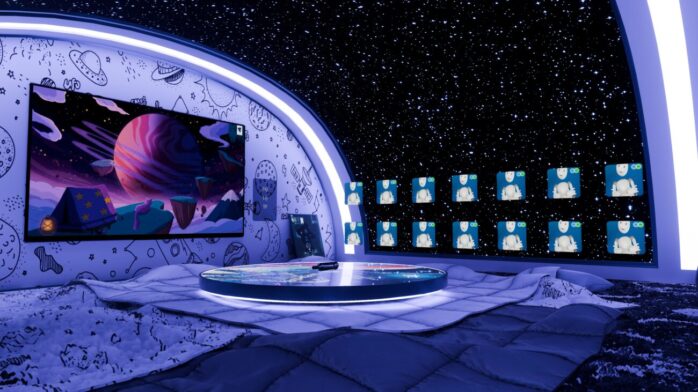
Virtual reality has moved far beyond experimental demos and now offers fully realized platforms where people socialize, create, and share experiences.
VRChat stands at the center of this shift, providing creators with a powerful sandbox to design immersive environments and interactive content.
If you are curious about building your own VRChat world, this guide walks you through the process in clear stages, while also touching on the creative and technical decisions that make a world feel alive.
1. Understanding the Creative Potential of VRChat
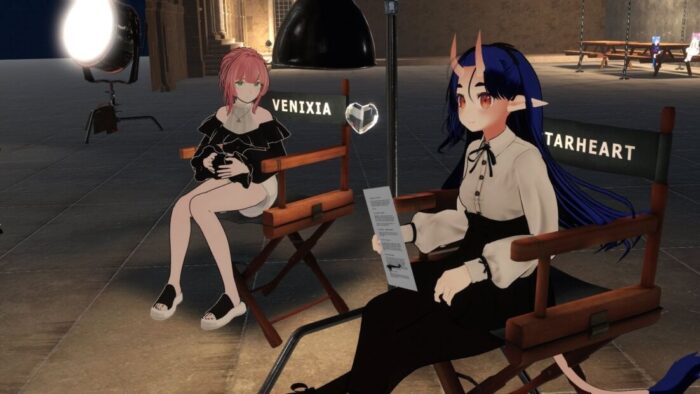
VRChat is more than a hub for avatars and casual chats; it is a framework for interactive storytelling, event hosting, and community building.
Users spend time in worlds that feel complete, with spatial design, visual storytelling, and interaction mechanics shaping the experience. The more immersive and interactive your environment is, the more likely people will return and invite others to join.
Creating worlds for VRChat blends three skill sets:
- Artistic vision – designing the mood, style, and overall identity of the space.
- Technical execution – using Unity and VRChat’s SDK to bring models, textures, and scripts to life.
- Community awareness – understanding what players seek in multiplayer spaces, from social hangouts to interactive games.
2. Setting Up the Foundation with Unity and VRChat SDK
Before you dive into world-building, you need the right setup. Unity is the engine behind VRChat, and the SDK (Software Development Kit) provided by VRChat is the bridge that connects your creative work with the platform.
- Download Unity Hub and install the Unity version recommended by VRChat’s documentation.
- Install the VRChat SDK, choosing between SDK2 (simpler, fewer features) and SDK3 (the advanced system supporting Udon, the scripting engine for interactivity).
- Create a Unity project and link it to VRChat through the SDK panel, which allows you to upload and test worlds.
At this stage, your focus is on setting up a clean workspace. Think of it as laying down the foundation of a building; the structure only stands if the basics are solid.
3. Building the Geometry and Layout of Your World
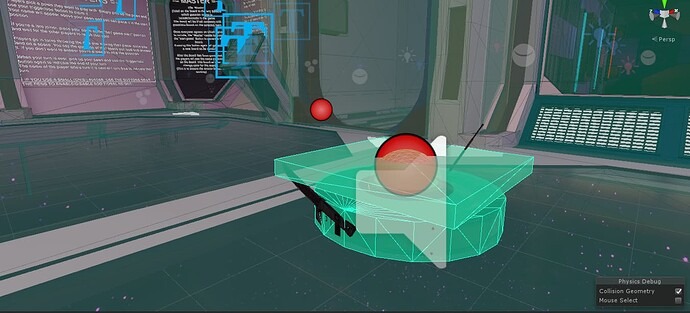
A VRChat world starts with geometry: the shapes and structures that define where people walk, gather, or explore. This doesn’t require complex architecture, but it does demand thoughtful planning. Ask yourself: do you want users to relax in a lounge, play a mini-game, or navigate a maze-like environment?
- Blocking out space: Start with simple cubes and planes in Unity to shape the environment. This helps you test scale before committing to detailed models.
- Optimizing for VR: Keep geometry efficient. Overly detailed meshes can cause performance drops, which ruin immersion.
- Lighting strategy: VRChat allows baked lighting for realism without heavy performance costs. Use lightmaps and reflection probes carefully.
3. Adding Textures, Materials, and Visual Identity
Textures transform plain geometry into believable spaces. A café with polished wood, glowing neon signs, and reflective glass feels authentic, while flat, untextured surfaces remind users they are in a prototype.
Here is where tools that convert an image to 3d can accelerate your workflow. This allows you to take reference images or concept art and generate usable 3D assets. It not only speeds up asset creation but also ensures visual consistency when building large environments.
When working with materials:
- Use PBR (Physically Based Rendering) textures for realism.
- Balance detail with performance by controlling texture resolution.
- Apply shaders sparingly; while they add style, they can be GPU-intensive.
4. Introducing Interactivity with Udon and Triggers
A static environment may look nice, but interactivity makes it memorable. VRChat’s Udon system allows creators to add logic and behaviors to their worlds without traditional coding knowledge.
Some popular uses of interactivity include:
- Doors and buttons that respond to player actions.
- Games and challenges built with Udon logic, such as parkour courses or puzzles.
- Social mechanics like synchronized media players, mirrors, or photo booths.
The key is balancing interaction with flow. If every element demands attention, users may feel overwhelmed. Instead, design focal points where interactivity enhances, not distracts.
5. Optimizing Performance for Smooth VR Experiences

Performance optimization is often the difference between a world that feels magical and one that feels frustrating.
VR users are sensitive to frame drops, so keeping your world efficient is essential.
- Polygon count: Reduce unnecessary detail in meshes.
- Texture compression: Lower file sizes to reduce load times.
- Occlusion culling: Hide objects when they’re not visible to the player.
- Dynamic vs. baked lighting: Use baked lighting wherever possible to lighten the GPU load.
A well-optimized world attracts more visitors because it runs smoothly across devices, from high-end VR rigs to standalone headsets.
6. Testing and Iterating with Community Feedback
No first version is perfect. Upload your world as a private build first, test it with friends, and observe how they navigate the space. Do they get stuck in corners? Do they notice the interactive elements? Are there areas that feel too empty or too crowded?
Community feedback is one of VRChat’s strongest assets. The platform thrives on shared creativity, so inviting others to test your world often leads to valuable insights you might miss on your own. Iteration is part of the process.
7. Publishing and Sharing Your World
Once you are satisfied, you can publish your world to VRChat. The SDK provides a straightforward upload system, where you fill in details like:
- World name and description
- Tags for discoverability
- Thumbnail images
A compelling thumbnail and description can significantly increase traffic to your world.
Treat it as a marketing opportunity—show potential visitors why your world is worth exploring.
8. Expanding Beyond Basics: Events and Social Design
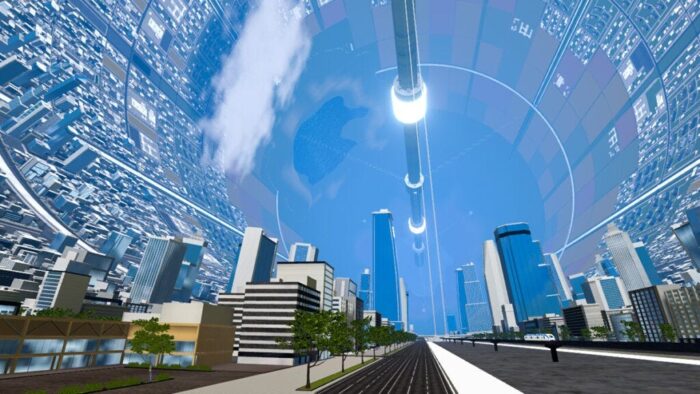
Building a VRChat world isn’t only about geometry and textures. The most successful worlds integrate social design, creating spaces for events, group activities, and repeat visits. Some creators host weekly meetups, game nights, or even live music performances inside their worlds.
Think about:
- Flow of movement: where people naturally gather, and whether there’s enough space for groups.
- Sound design: background audio and spatialized sound can elevate immersion.
- Seasonal updates: refreshing visuals or adding new features keeps players returning.
Final Thoughts
Creating immersive VRChat worlds is both a technical and artistic journey. You start with the basics of Unity and the SDK, shape environments with thoughtful design, and add layers of interactivity that transform a space from static to dynamic.
By optimizing performance, iterating with feedback, and focusing on community engagement, your world can become a place where people want to spend time, not just visit once.